Competitor Comparison Facundo Lopez Scala·Mar 13, 2026
Facundo Lopez Scala·Mar 13, 2026
Not every bug throws an error. Silent bugs — broken flows, wrong data, UX dead ends — slip past Sentry and error monitoring. Learn how to catch them before users churn.

The most expensive bugs in your SaaS product are the ones you do not know about.
Not the crashes. Not the 500 errors. Not the exceptions that wake you up at 3 AM. Those are loud. They trigger alerts. They get fixed.
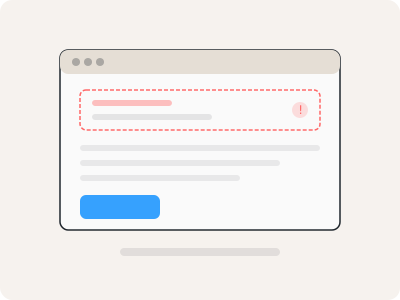
Silent bugs are different. They are the checkout flow that completes successfully — except the payment never processes. The onboarding wizard that lets users "finish" — but skips a critical configuration step. The dashboard that loads perfectly — but shows yesterday's data.
No error is thrown. No alert fires. Sentry is quiet. Your monitoring dashboards are green. But users are experiencing a broken product. And they are churning because of it.
A silent bug is any defect that does not produce a system-level error. The code executes. The HTTP responses return 200. The page renders. But the outcome is wrong.
Silent bugs fall into several categories:
The code runs without errors but produces incorrect results. A pricing calculation applies the wrong discount. A permission check grants access it should deny. A date comparison uses the wrong timezone.
These bugs are invisible to error monitoring because the code is executing exactly as written — it is just written wrong.
An API returns stale data because a cache was not invalidated. A form submission saves partial data because a race condition drops fields. A webhook fires but the handler silently fails to process the payload.
The user sees a success state. The data tells a different story.
A button looks clickable but does nothing. A link points to a page that redirects back. A modal opens but the close button is hidden behind another element. The user is stuck, but the application has not errored.
From the system's perspective, everything is fine. From the user's perspective, the product is broken.
A deploy overwrites a marketing headline with placeholder text. A CMS update breaks formatting on the pricing page. An i18n key falls back to a raw variable name. Users see "{{plan_name}}" instead of "Pro Plan." No exception. No alert. Just a broken experience.
Tools like Sentry, Datadog, and Bugsnag are excellent at catching thrown exceptions. They monitor your stack traces, aggregate error occurrences, and alert when error rates spike. They are a critical part of any production monitoring setup.
But they have a fundamental limitation: they only see what the code tells them is an error.
If a function returns the wrong value without throwing, Sentry does not know. If a user flow breaks because of a CSS change that hides a button, Datadog does not know. If a form silently loses data because of a race condition, Bugsnag does not know.
Error monitoring answers: "Did the code crash?"
Silent bug detection answers: "Did the user achieve what they intended?"
These are fundamentally different questions, and they require fundamentally different approaches.
Silent bugs compound in ways that loud errors do not. Because they go undetected, they persist for days, weeks, sometimes months. During that time:
One CTO described it as "death by a thousand paper cuts." No single silent bug kills the business. But the cumulative effect on retention, activation, and NPS is devastating.
Catching silent bugs requires observing user behavior, not just system behavior. There are three approaches:
Watch what users actually do. When you see someone complete a flow that should work but then immediately contact support, you have found a silent bug.
The limitation: manual replay review does not scale. You cannot watch every session.
Run automated scripts that simulate user flows and verify outcomes. If the checkout script completes but the order does not appear in the database, you caught a silent bug.
The limitation: synthetic tests only check flows you have written scripts for. They cannot discover unexpected failure modes.
An AI agent watches every session replay automatically. It understands user intent from behavioral context, detects when outcomes do not match expectations, and reports issues with full evidence.
This approach combines the observational power of session replay with the scalability of automation. It catches bugs that:
For SaaS teams without dedicated QA, AI session analysis is often the first time they get proactive coverage of silent bugs.
Based on patterns observed across hundreds of SaaS products, these are the most frequent silent bug categories:
Each of these is a silent bug. None of them throw exceptions. All of them cost revenue.
A comprehensive approach to silent bugs requires layering three types of monitoring:
Most teams have layers 1 and 2 but lack layer 3. That gap is where silent bugs live and where users quietly churn.
If you are already recording sessions with PostHog, adding an AI analysis layer is the fastest path to closing this gap — often deployable in under 10 minutes with no code changes.
Facundo Lopez Scala·Mar 13, 2026 Facundo Lopez Scala·Mar 13, 2026Facundo Lopez Scala·Mar 13, 2026